Free
$0
For everyone the host invites.
- Join any session you're invited to
- Edit, or just listen, as the host allows
- The whole Set, samples included
Available at launch
Everyone has the Set open in their own Live, wherever they are. Add a clip or move a fader and it changes for everyone a moment later.
Launching soon for Windows and macOS.
Free to join. Hosting is $9 a month, after a 14-day trial. See pricing
For Ableton Live 12, every edition, on Windows and macOS. A Mac and a PC can share a session.
Sam, Theo and Jun change Maya's Set at the same time.
Each person who joins gets the host's Set in their own Live, samples included, and plays it through their own audio interface. Nothing is streamed, so playback stays as tight as Live on its own.
Who's in the session, whether everyone is in sync, and each change as it happens, with who made it.
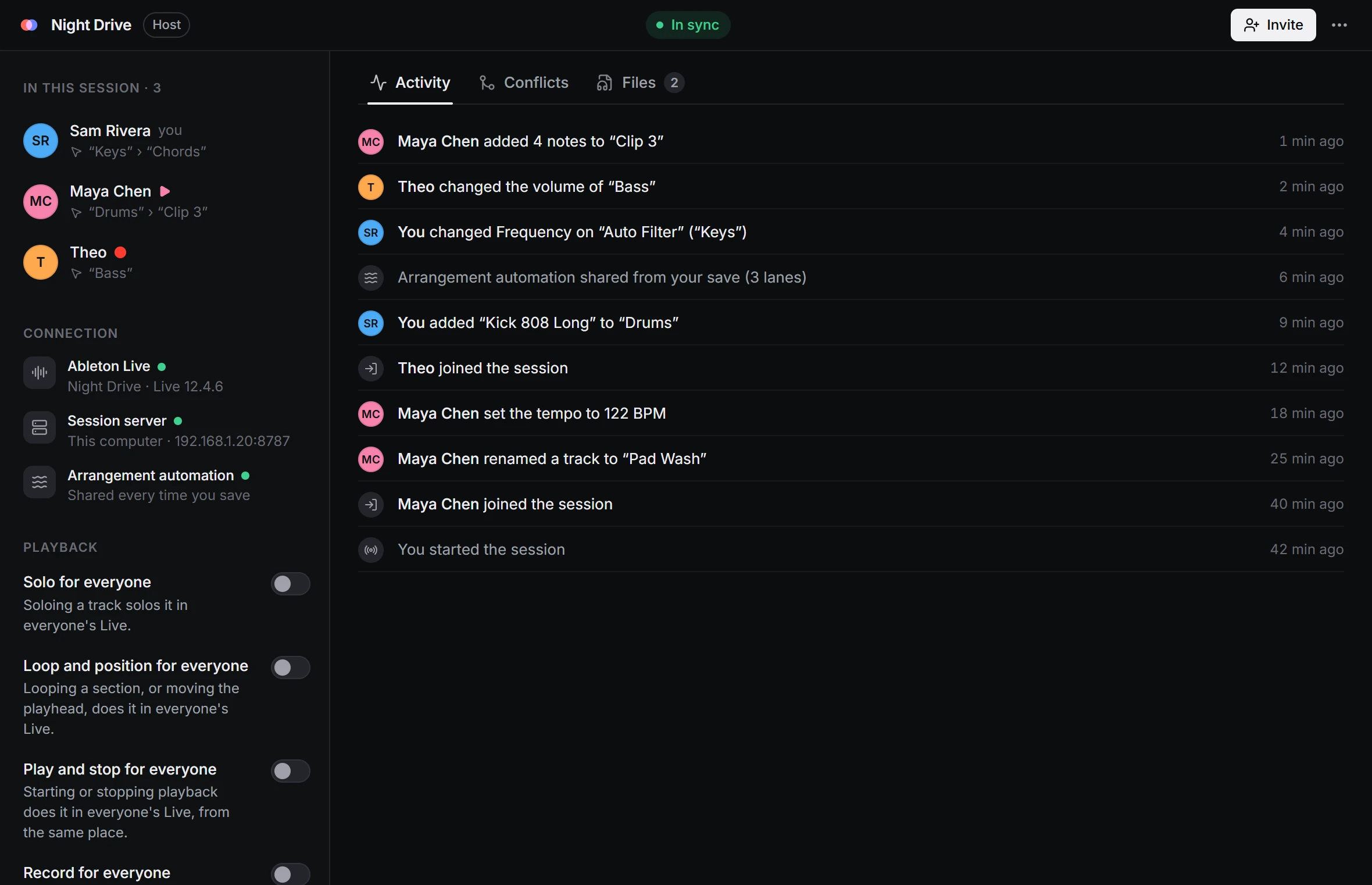
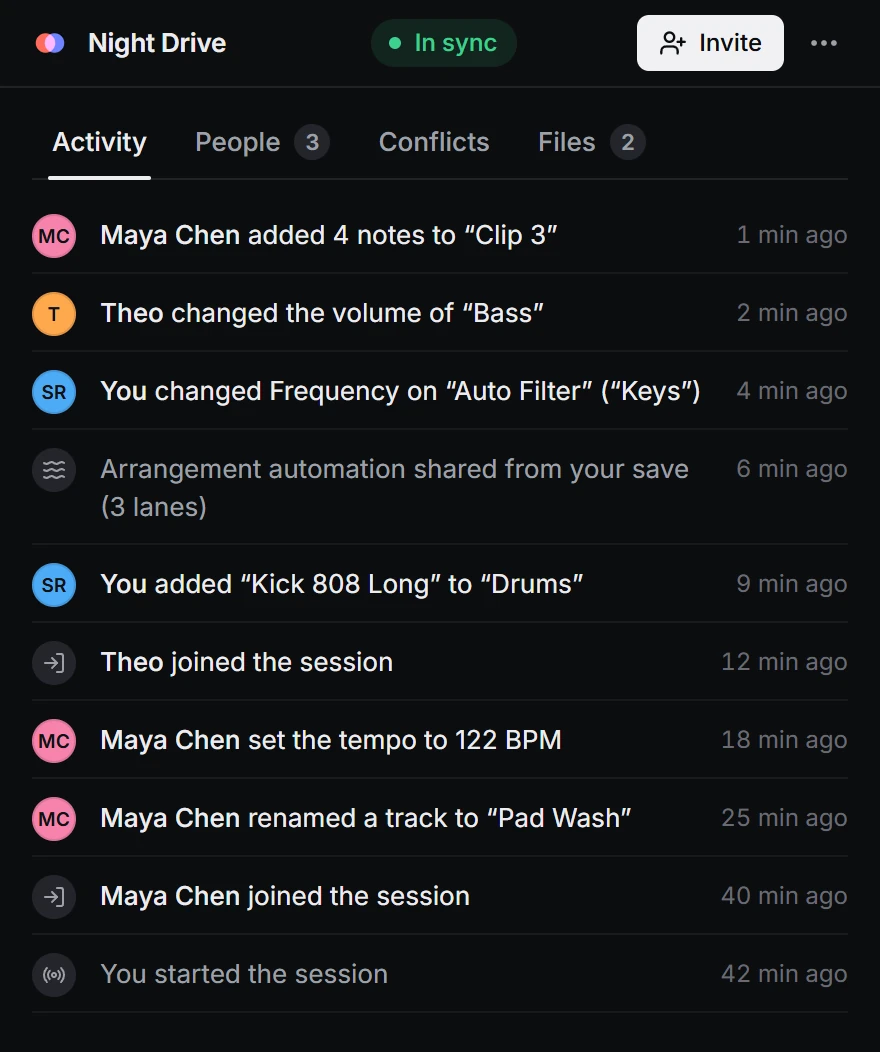
Make the window narrow and it folds into one column, so it fits beside Live. Close it and the session keeps running from the tray, or the menu bar on a Mac.
Clips, notes, devices, the mixer, automation, tempo: whatever Live saves in the Set reaches everyone a moment after it changes. Two people can even work in the same clip at once.
Every sample goes to everyone, including the ones in Drum Racks and samplers, and is saved in their project. A plug-in's own sample library isn't sent.
A plug-in someone adds shows up for everyone who has it, with the same sound. Whoever doesn't own it still hears it. More about plug-ins
Add a plug-in to the Set and SessionCollab keeps its sound the same on every computer, even for someone who doesn't own it.
It appears on the same track in your Live with the same sound, patch and all. Knobs follow as they're turned; changes made in the plug-in's own window, a moment after.
You still hear it: a computer that has it plays the part and shares the audio. Install it later and it takes over by itself.
Plug-ins are never copied between computers: each person plays the ones they own.
No. Nothing you hear is streamed: your Live plays the song on your own computer, so it sounds exactly like working alone. Samples, and the sound of plug-ins you don't own, are copied to your computer first and play from there.
What travels are the changes. When someone moves a knob, the same knob moves in your Live a fraction of a second later.
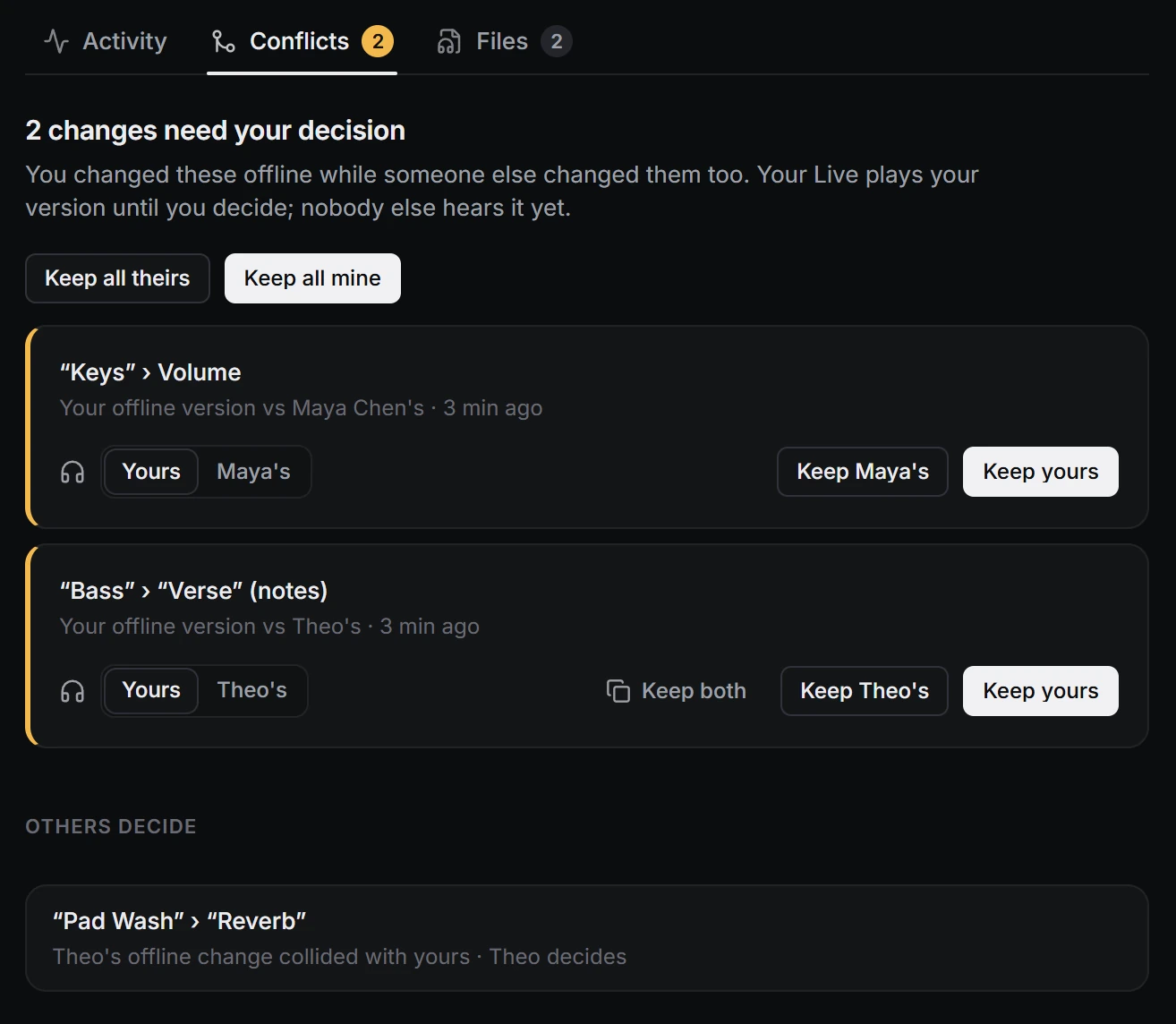
Take the Set on a train. When you're back, your changes merge in. If someone changed the same thing meanwhile, listen to both versions and keep yours, theirs or both.
Your Set goes to the people in the session and nobody else. Every session runs on SessionCollab's relay, which keeps the session's Set and samples for the people in it.
Before a session replaces the Set open in your Live, SessionCollab saves a copy of it.
Joining a session is free, for as many people as the host invites. Hosting needs Pro.
$0
For everyone the host invites.
Available at launch
$9 a month, or $79 a year
For the person who hosts.
Available at launch
Starts with a 14-day free trial, no card needed.
$199 once
Pro, paid once.
Available at launch
Prices in US dollars. Checkout shows your currency and any tax, and every payment can be refunded within 14 days. All the billing details.
Something else? Write to support@sessioncollab.com.